
Portfolio
Throughout my classes at Auburn I have had the wonderful oppurtunity to gain hands on experience through assignments, in-class activities, and seminars. This semester, through my Digital Style and Design in Public Relations Messages course, I was able to familiarize myself with various Adobe Creative Cloud platforms such as InDesign, Photoshop, and Illustrator. Using these platforms has allowed me to develop professional level skills that I can use throughout my career. I am grateful for a course that has given me the space to fail and learn from my mistakes and the support of my professor whos guidence has allowed me to elevate my skill set through the creation of design elements and materials. Below are a few of the assignments, in-class activities, and Adobe Tutorial projects I was tasked with completing throughout this semester.
Design Principles Assignment
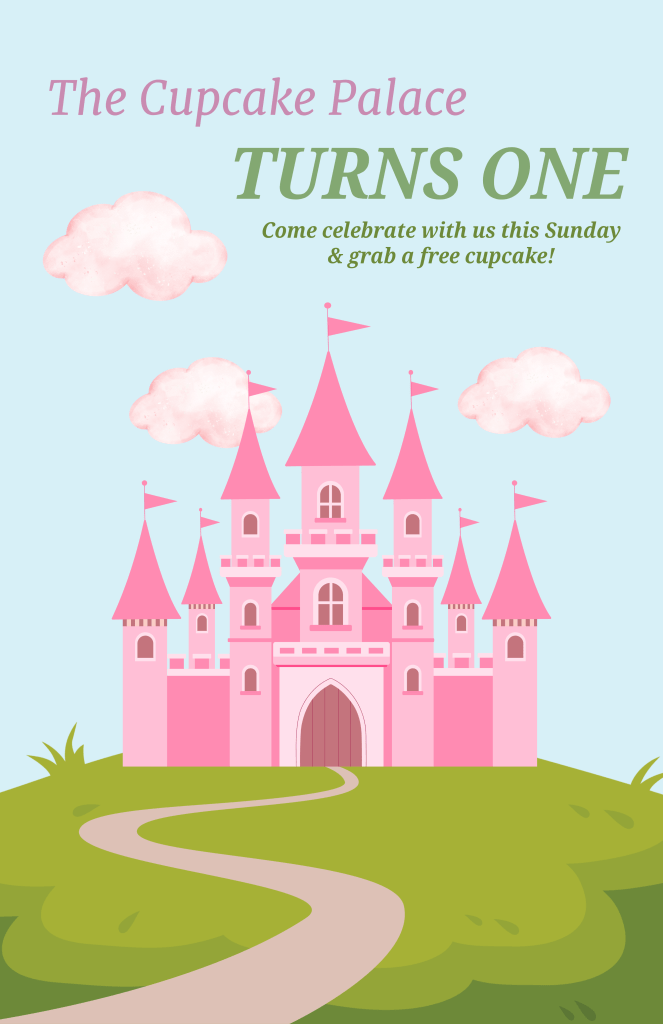
This project tested my ability to have an in-deapth understanding of the principles and fundamentals tied to creating effective designs. These skills are crucial to understand before attempting to complete any future projects or challenges. This project was a wonderful hands on way for me to communicate my understanding of design prinsiples through digital design as well as showcase my understanding of Adobe Express. I created a poster for a cupcake shop’s anniversary by using design principles most important for effective communication in PR like visual hierarchy and balance, typography, and layout.
In Class Design Challenges
AI Improvement
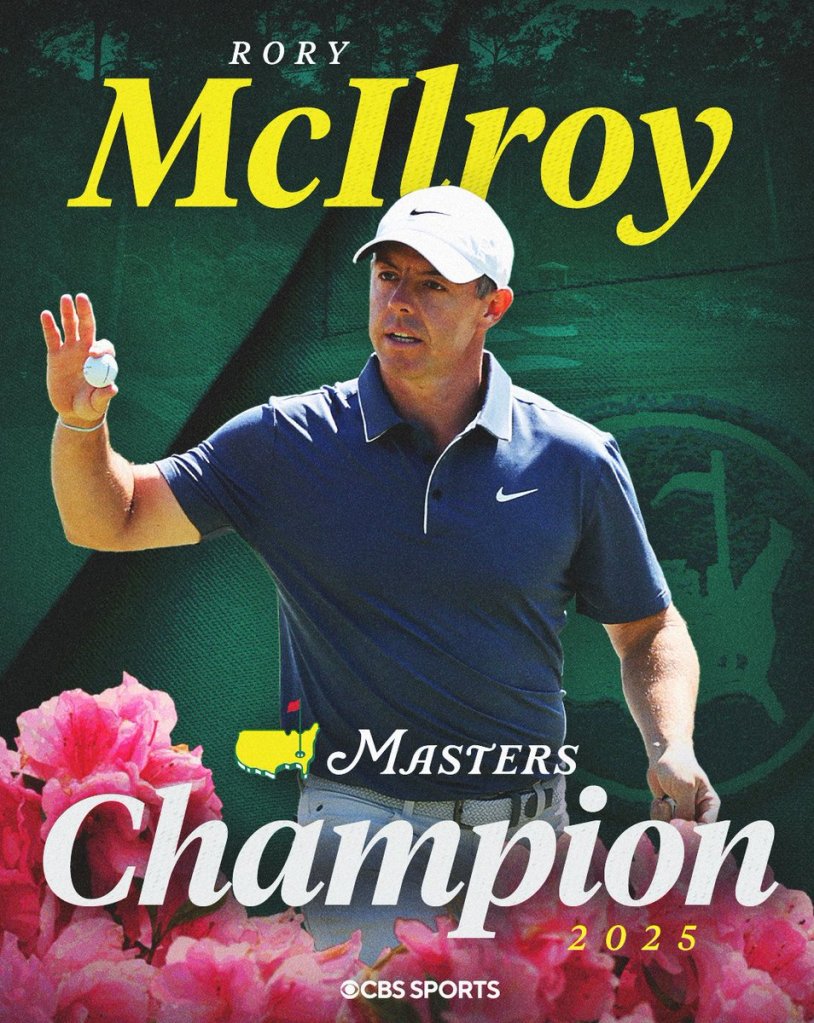
The original graphic design
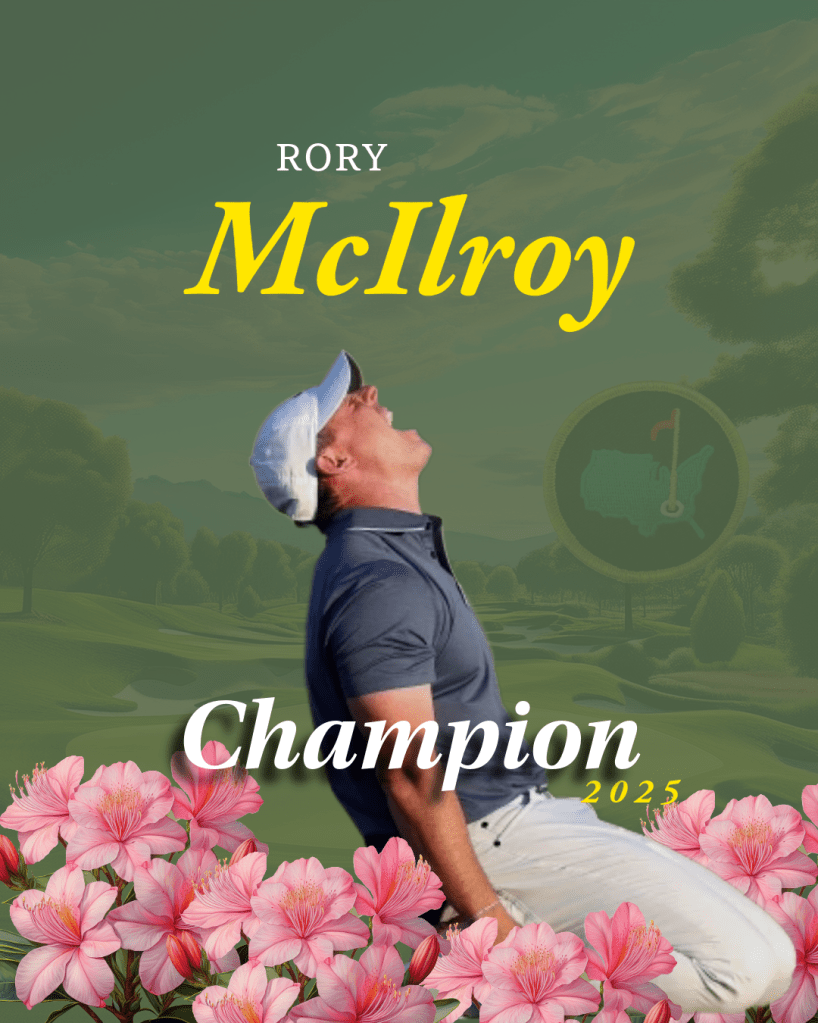
My design created through AI & Photoshop
This activity required the usage of AI and Photoshop together to generate an image. I chose to replicate and re-imagine a graphic of Rory McIlroy after his championship finish at the 2025 Masters Tournament. I used AI to create the background, logo, and flowers present in the design, and then used Photoshop to add in the photograph of McIlroy and the font. This excersie allowed me to use my generative AI skills as well as my Photoshop skills to make something both detailed and complimentary to the original design.
Infographic Guessing Game
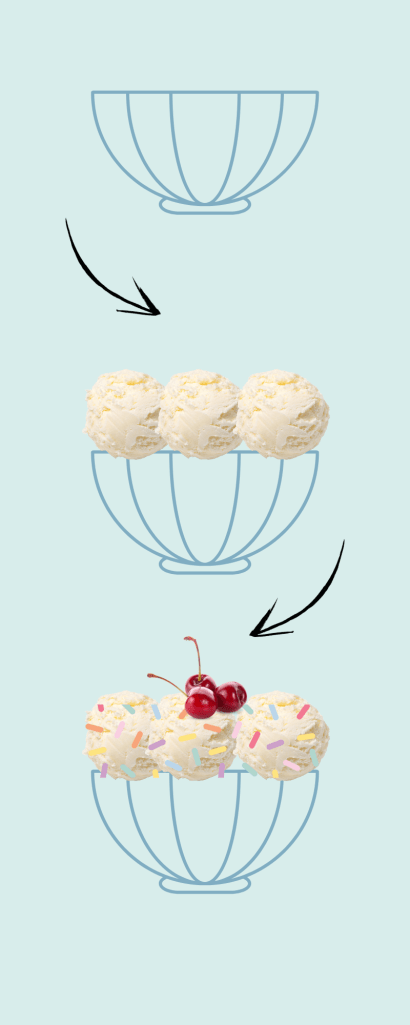
For this challenge we were tasked with creating an infographic with no words present in our design. My table in class was given “How to Make an Ice Cream Sundae” as our prompt, and we were all tasked with creating our own unique design to create this concept to the rest of our class.
I learned that when creating infographics you must be very clear and concise when creating graphics that relay on visuals to convey messaging. I went for a very simple approach that takes the viewer through the step by step process used when creating an ice cream sundae. By keeping my colors and graphics themselves simple as well, I was able to potray a very simple yet sophisticated message without any words or explainers.
Being able to use visuals to present information is a valuable skill for design.
Walkthroughs
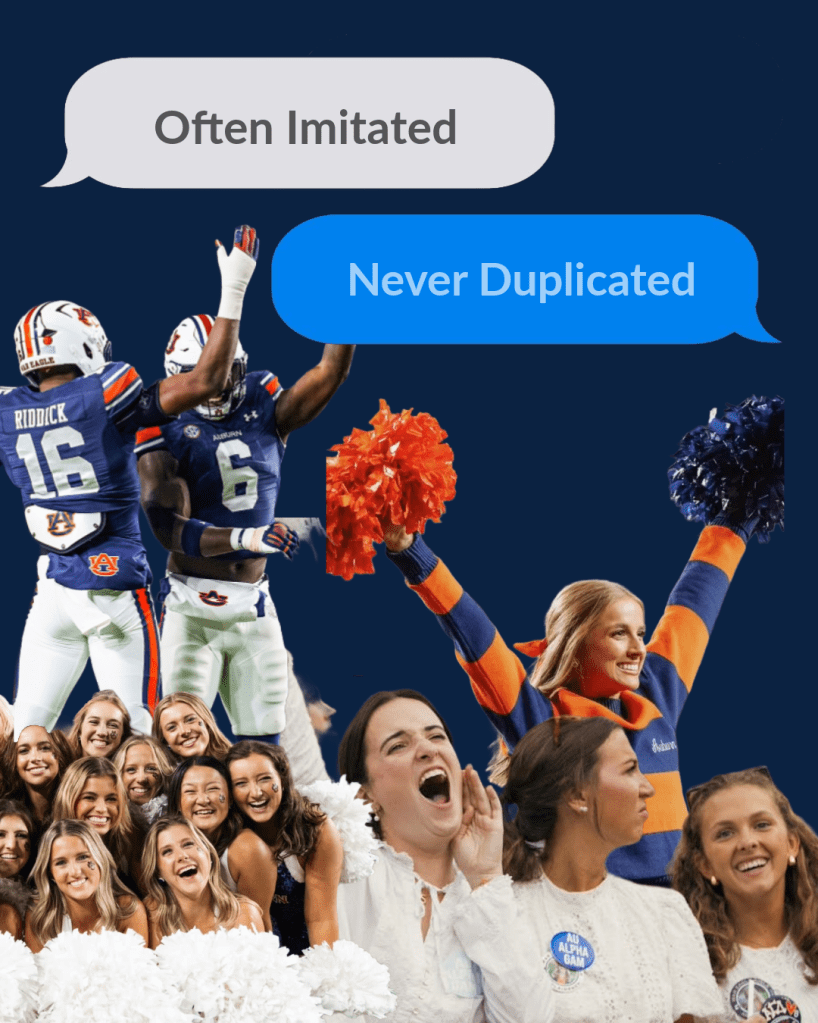
Adobe Express Walkthrough
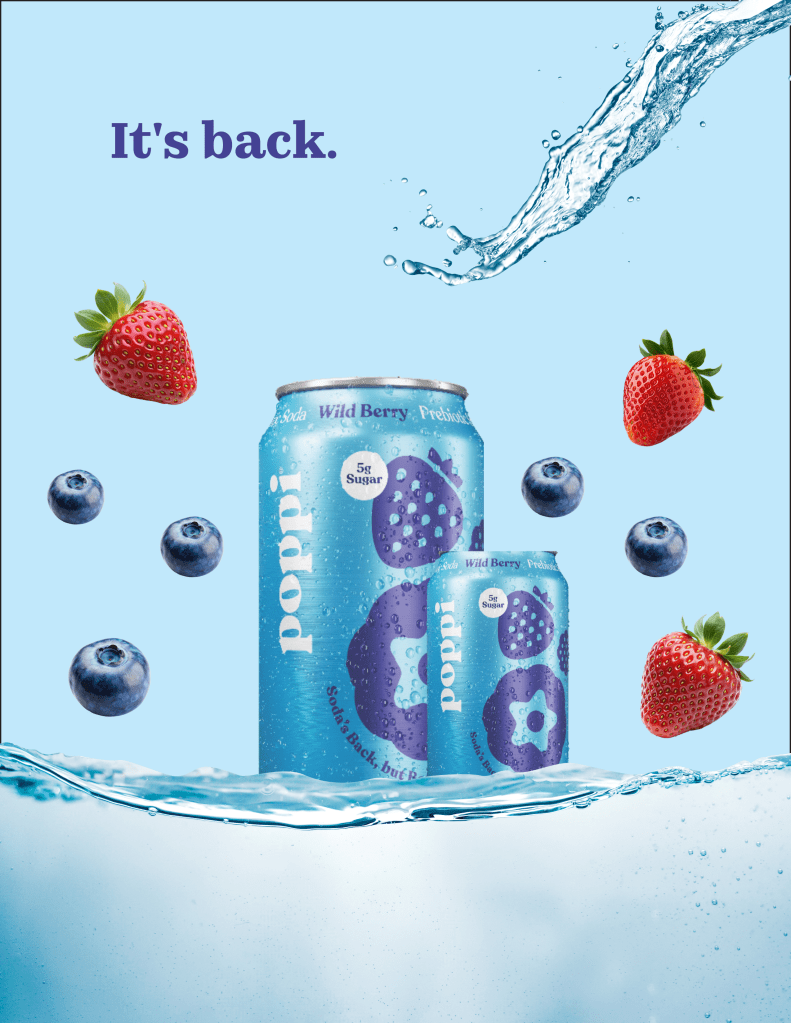
InDesign Walkthrough
During the semester we covered several Adobe Creative Cloud platforms including Express, Illustrator, InDesign, and Photoshop. When reviewing a new platform we would complete an in-class assignment where we would follow a prompt using the specific software.
Adobe Express: My design was created following our in-class overview of Express. We were prompted to use the software to create a graphic promoting Auburn Football on Instagram. I used photos of Auburn students and athletes during gamedays as well as a text feature to promote the idea of football season to the student body.
InDesign: My design was created following our in-class overview of InDesign. We were promted to use this software to create an advertisement poster. I decided to use Drink Poppi’s Wild Berry flavor as the centerpiece for my poster and used the software to add elements and fonts to enhance and add to the design.
Halloween Design Challenge
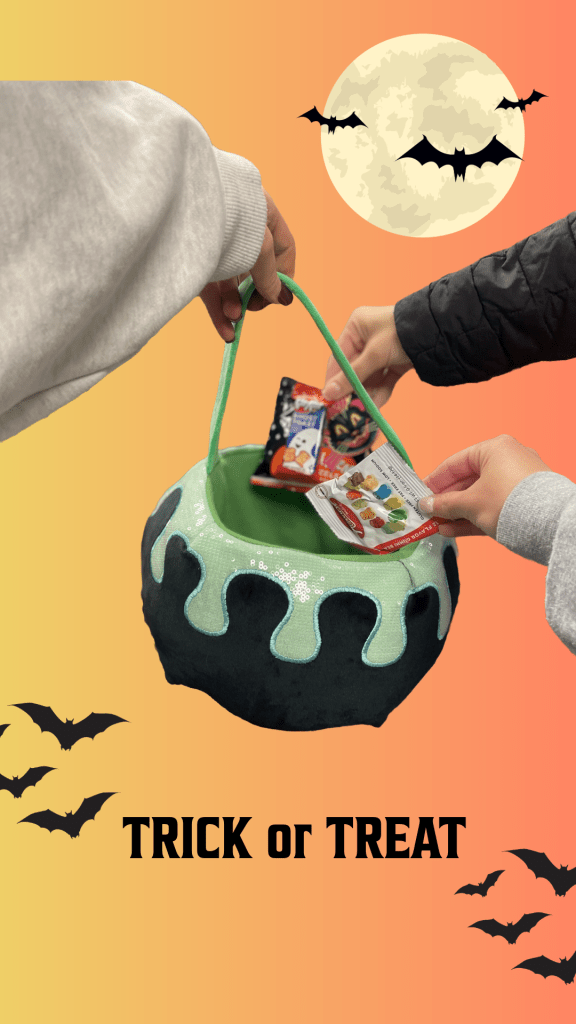
For this activity we were sorted into randomized groups in class and were given a prompt to use as a basis for our design. My groups theme was “Nostalgia and Fun.” We then used props and candy provided to capture the perfect Halloween photo to use within our designs. My group used our props to create the image seen pictured in my design. We then each separately created our own designs using Adobe Express.
I decided to create an Instagram Story for my piece. Using Adobe Express functions like the “remove background” and “gradient” I was able to create a base to center the rest of my design around. I then added in elements like bat silhouettes and the moon to bring forward the “nostalgia” feature. The font I chose went along with the “fun” aspect of my prompt.
Adobe Tutorial Designs
This semester in addition to our in-class assignments, we were tasked with completing 10 different Adobe Tutorials. Each tutorial had a main focus and several tutorial options to pick from depending on your preferences. Below are three of my ten designs created while following along to these Adobe Tutorials. These activities were a wonderful way to learn about the different Adobe Creative Cloud platforms and gain insight into how they are all equally benefical within the world of design.
Illustrator
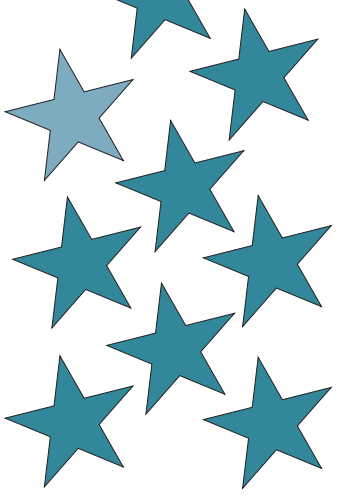
I followed the “Use Repitition for Design Consistency” tutorial to create stars within the Illustrator platform to form a pattern through the process of repitition. This tutorial taught me how to properly use the platform to create shapes, apply color, and arrange them.
Lightroom

Lightroom: I used the “Create a LinkedIn Profile Picture” tutorial to edit one of my professional headshots using Adobe Lightroom. The product is featured above as well as on the “About Me” section of my website. This tutorial provided me with the skillset to edit photographs before using them in a graphic or featuring them in a post.
Photoshop

Photoshop: I followed the “Discover Generative AI in Adobe Photoshop” tutorial to experiment with the AI function in Photoshop. I used tools to create an image of a snowy day featuring a gaggle of snowmen. This tutorial was helpful in properly informing me on how to use AI in my designs ethically,
Adobe Learn Badge
Through this course I was provided the oppurtunity to complete an Adobe Education course on Generative AI.
My final design was reviewed by Adobe instructors and I was rewarded with an Adobe skills badge to represent my expertise on the topic.
My Adobe Badge Design

In order to recieve my Adobe Learn Badge I had to complete a final project displaying the skills I’ve learned during the course. My Badge was in Generative AI and my final project was to use AI within Adobe Express to create a graphic. I chose to make an ad for Coca Cola and used AI to create the background as well as the movement and color of the font. Overall this final project allowed me to use the skills I had learned throughout the course to ethically create a piece using generative AI. This piece was reviewed by Adobe instructors and was the final piece of consideration before awarding me my course badge.
 Colleen Weis